Use this topic when a match needs to be removed from a tournament.
To add a tournament member in the first place, see Inviting Tournament Members or Joining a Tournament, depending on the tournament's member policy.
Remove a Tournament Member
A tournament member may be removed by a user with permissions to remove members from either the tournament or the member match.
1.Sign in to Rezults and open the tournament page.
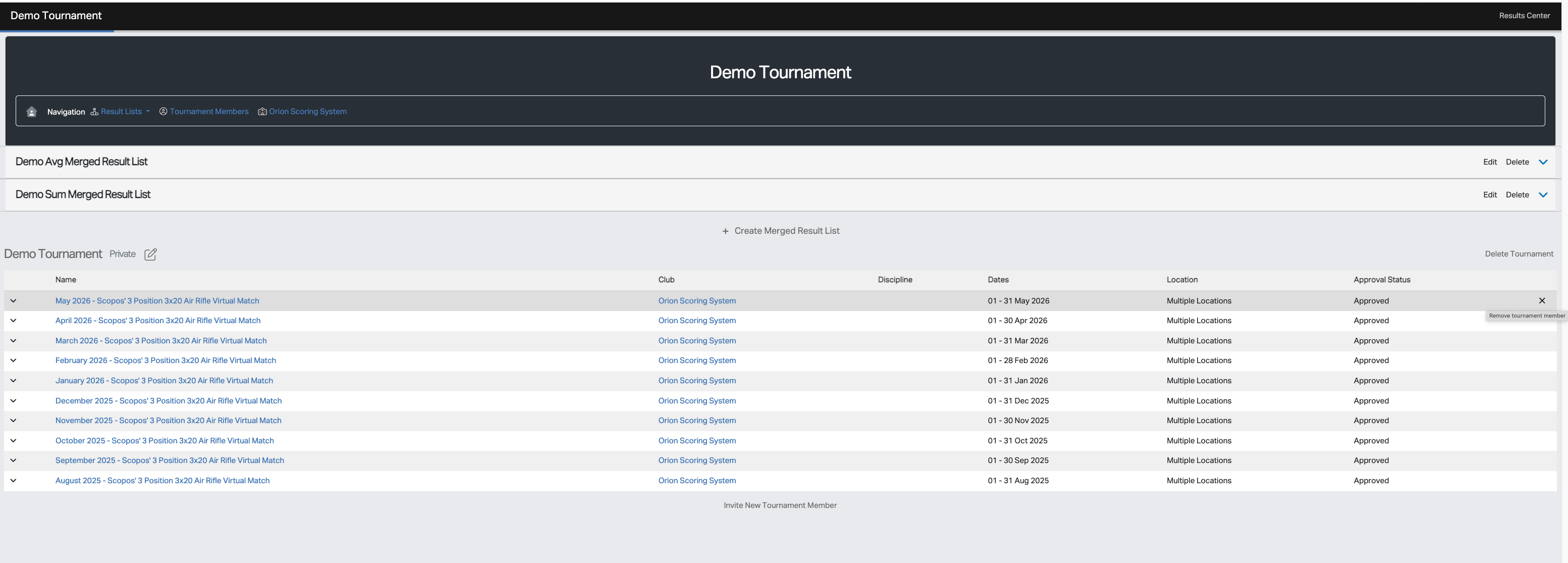
2.Find the member in the Tournament Members table.
3.Click the remove 'X' icon for that member, which appears when the user's mouse hovers over that member.
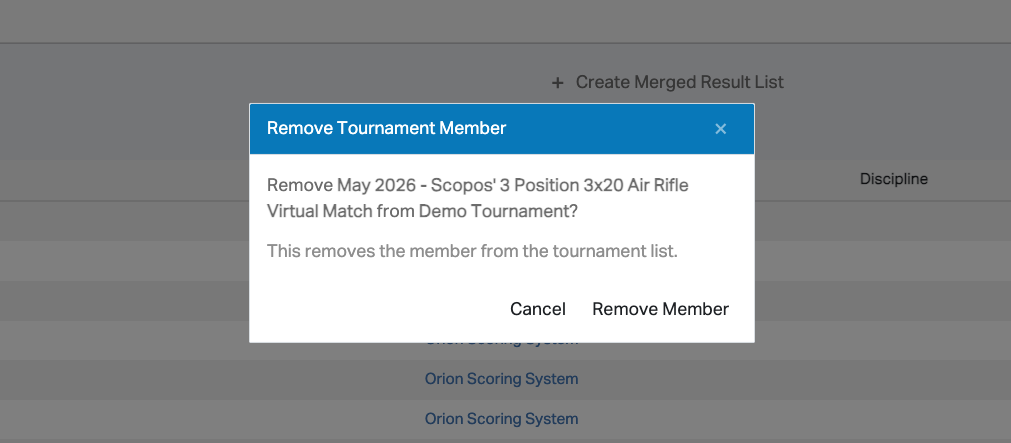
4.Confirm by clicking Remove Member.
5.Rezults removes the member from the tournament.
The member will be removed from the tournament and any merged result lists associated with that tournament.