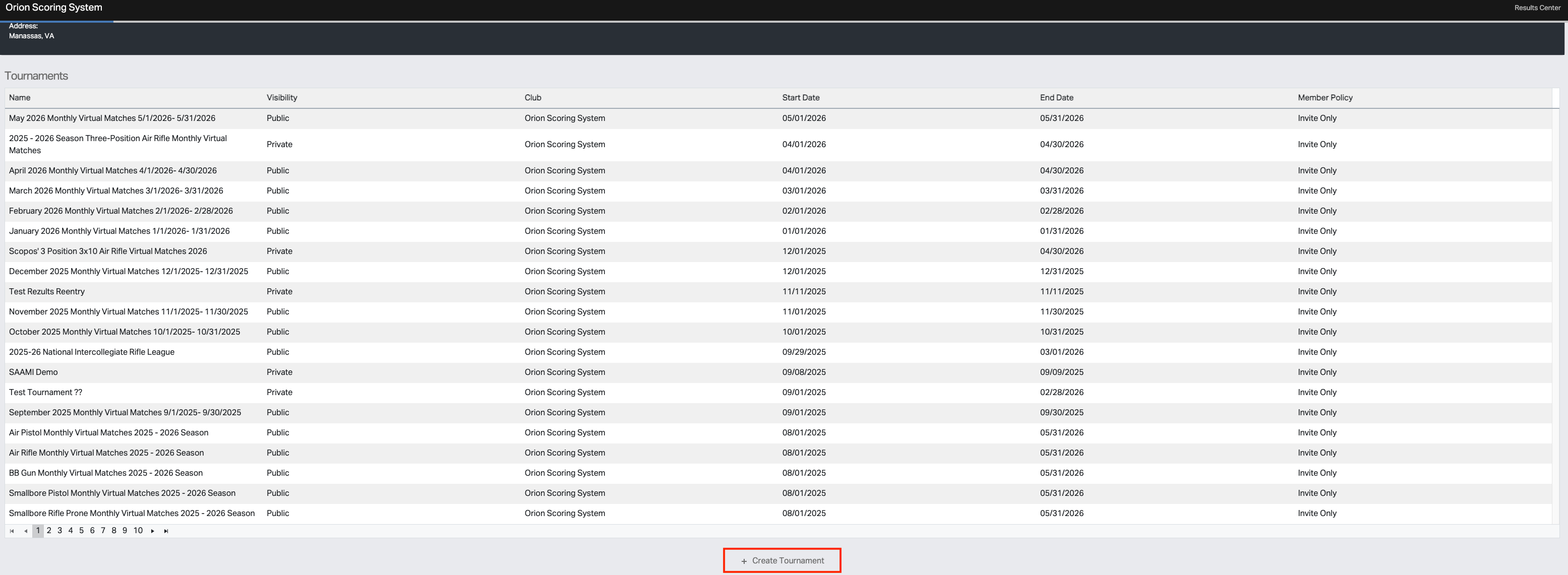
Tournaments are created from a club page in Rezults. The club that owns the page also owns the tournament.
Requirements
•A Scopos account signed in to Rezults.
•The club page where the tournament should live.
•Permission to create tournaments for the club. You must be associated with the club to create a tournament. If you do not see the Create Tournament button, a club admin must grant you permission via the My Clubs page.
Create a Tournament from a Club Page
1.Sign in to Rezults and open the club's page.
2.Find the Tournaments section.
3.Click Create Tournament button located under the list of existing tournaments.
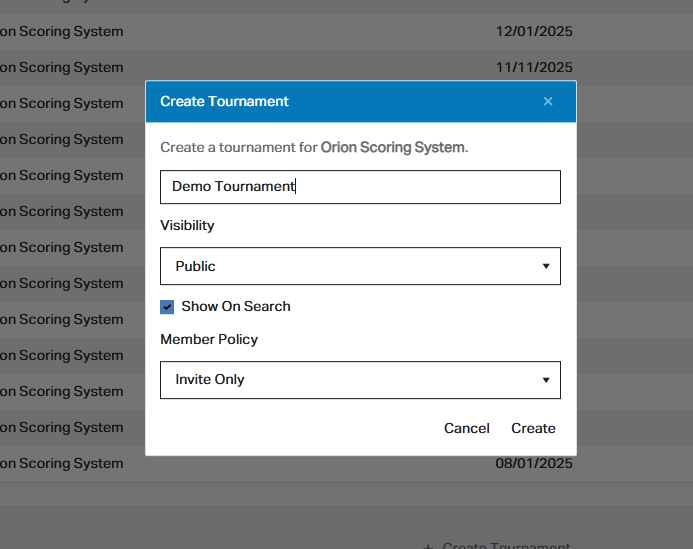
4.Enter a tournament name.
5.Choose the tournament's Visibility and member policy . Private tournaments will only be viewable by users with permission to do so.
6.Click Create.
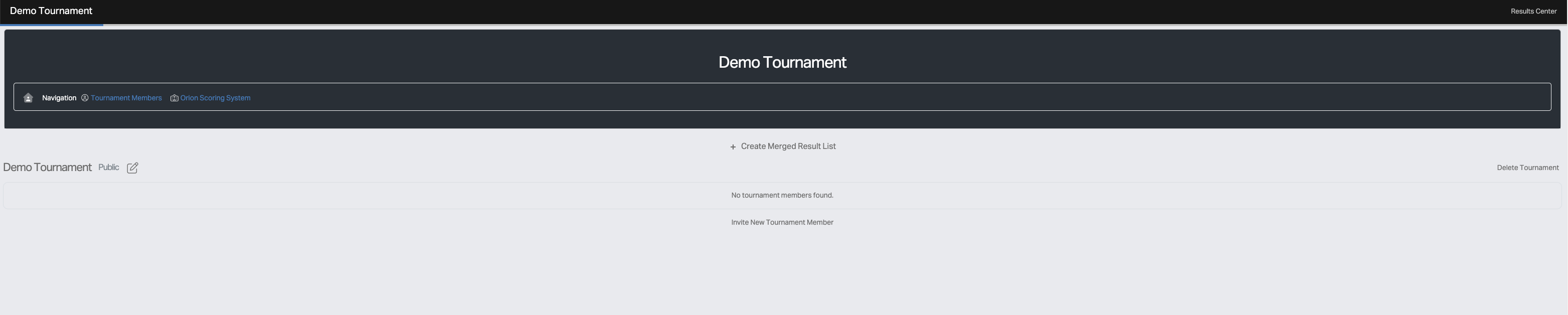
7.Rezults creates the tournament and opens its tournament page.
What Happens After Creation?
After creation, the tournament is also listed on the club page. Public tournaments can be accessed by anyone visiting the club page. Private tournaments are only accessible to users with permission.
A newly created tournament will be empty until members are added.
Users with permission to manage the tournament may later:
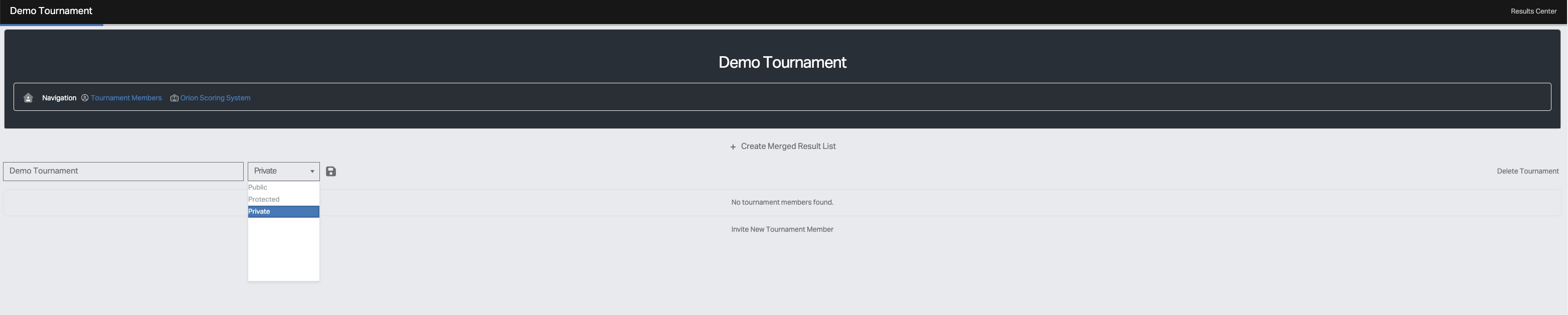
•Edit the tournament's name.
•Change the tournament's visibility.
•Delete the tournament.
•Invite members or let them join the tournament based on the tournament's member policy.
•Create merged result lists to combine results from tournament member matches.
The current tournament editor can only change the name and visibility. The member policy is chosen when the tournament is created and cannot be changed later, so choose that setting carefully.