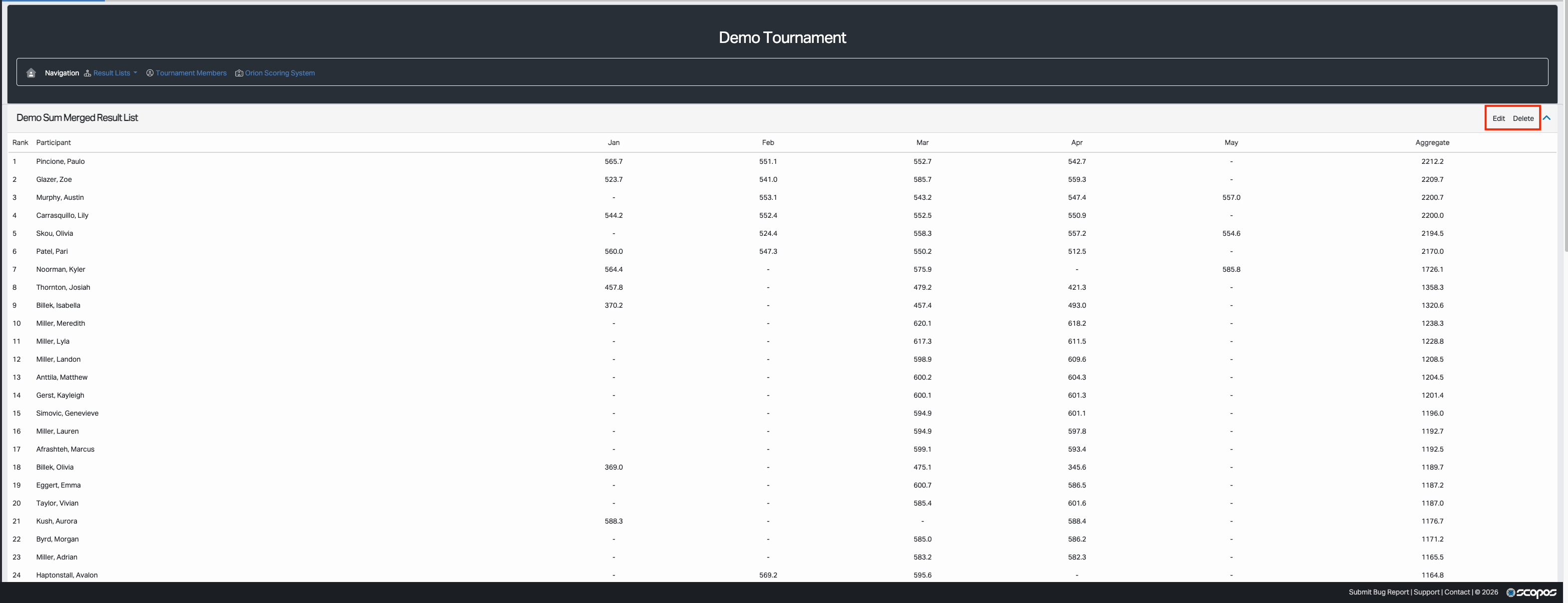
Creating a merged result list is a two-step process: first you configure how the merged result list should behave, then you add the result list members that feed it.
Requirements
•You must be signed in to Rezults.
•You must have permission to create merged result lists for the tournament.
•The tournament should already have approved tournament members.
Step 1: Configure the Merged Result List
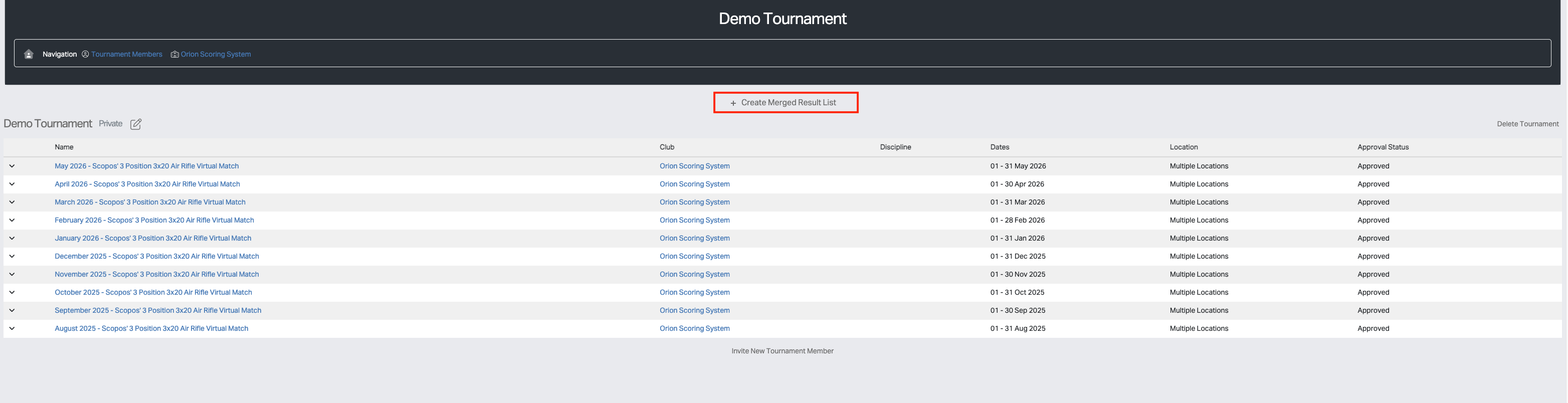
1.Open the tournament page.
2.Click Create Merged Result List.
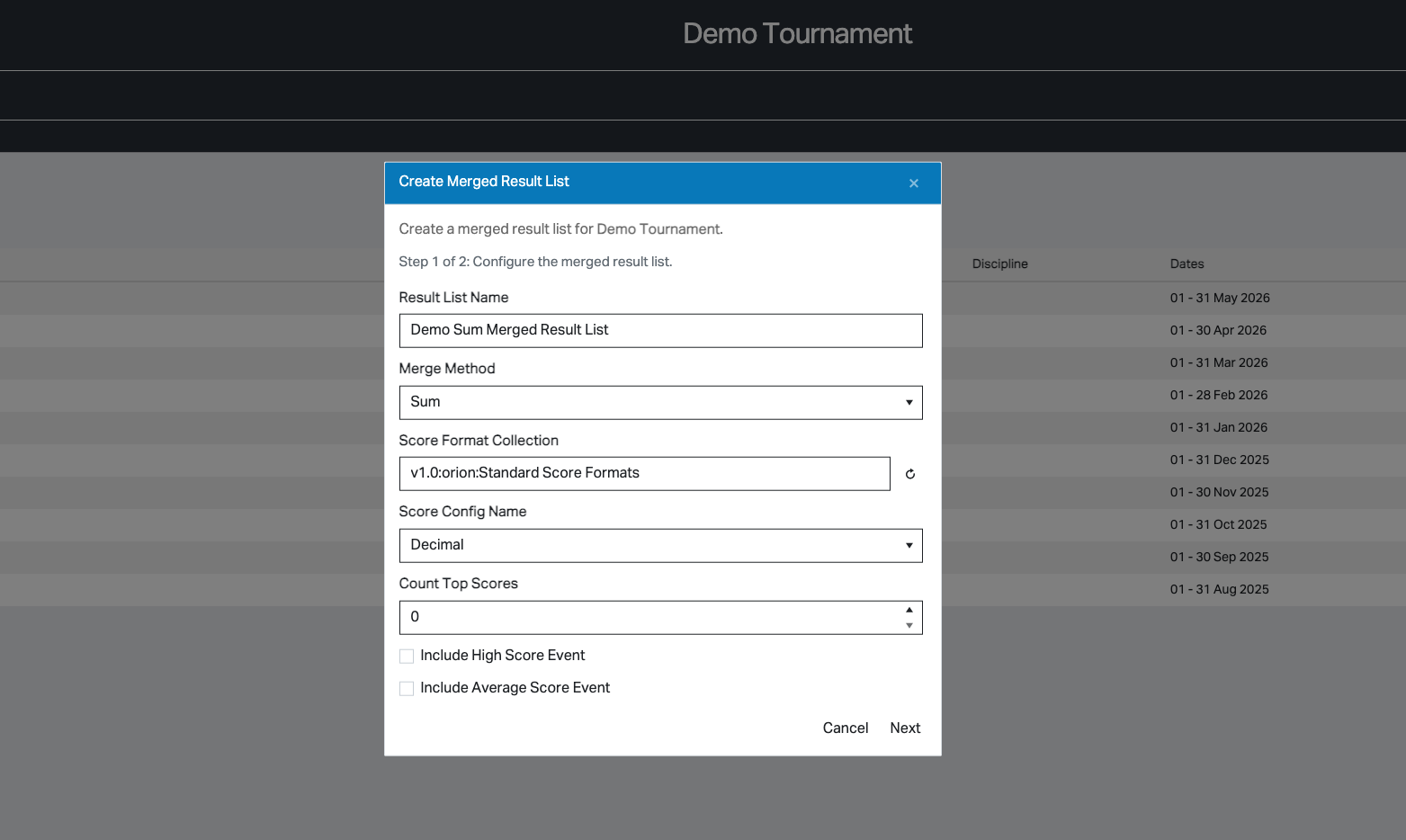
3.Enter a result list name.
4.Choose the merge method: Sum, Average, or Reentry.
5.Enter the Score Format Collection. Use the default collection, v1.0:orion:Standard Score Formats, if you do not need additional customization.
6.If the Score Format Collection was modified, click the refresh button so Rezults can load the available Score Config Name options from that collection.
7.Select the desired Score Config Name. The values for the default Score Format Collection are: Integer, Decimal, Conventional
8.Complete the fields specific to the selected merge method. See the documentation for each merge method for details on these fields (Sum, Average, or Reentry).
9.Click Next to continue to Step 2: Add Result List Members.
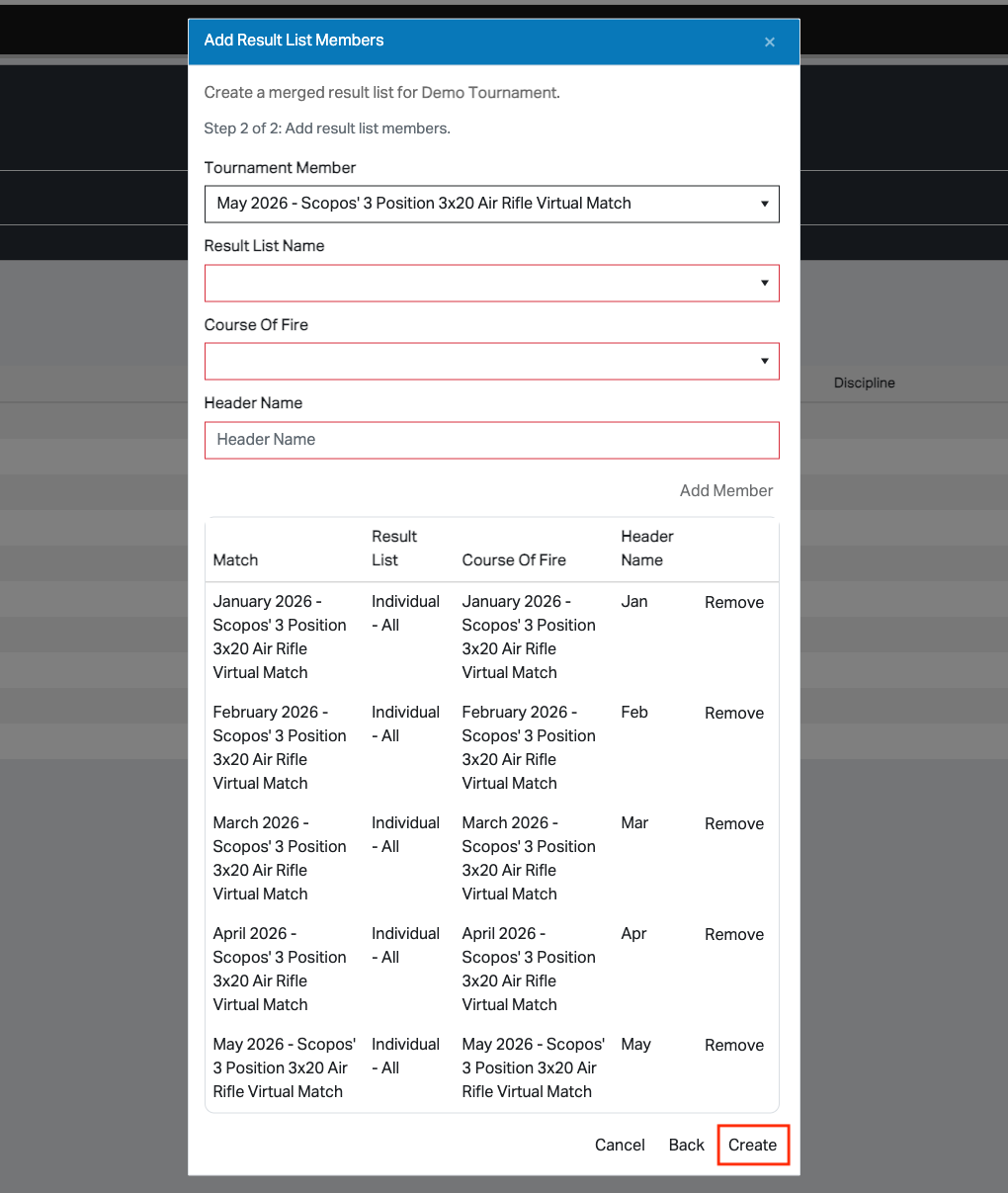
Step 2: Add Result List Members
1.Choose an approved tournament member from the Tournament Member list.
2.Choose the desired Result List Name to merge.
3.Choose the desired Course Of Fire to merge.
4.Enter a Header Name. This is the label shown for that member inside the merged result list.
5.Click Add Member.
6.Repeat for each source result list you want to include.
7.Click Create when the member list is complete.
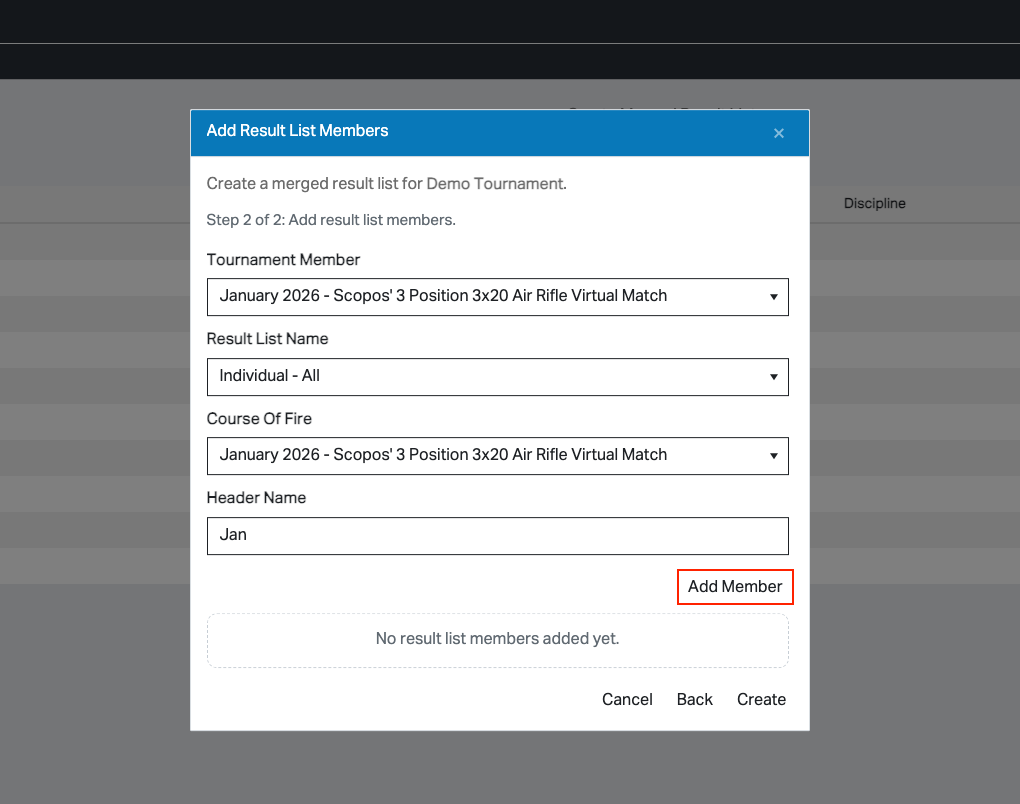
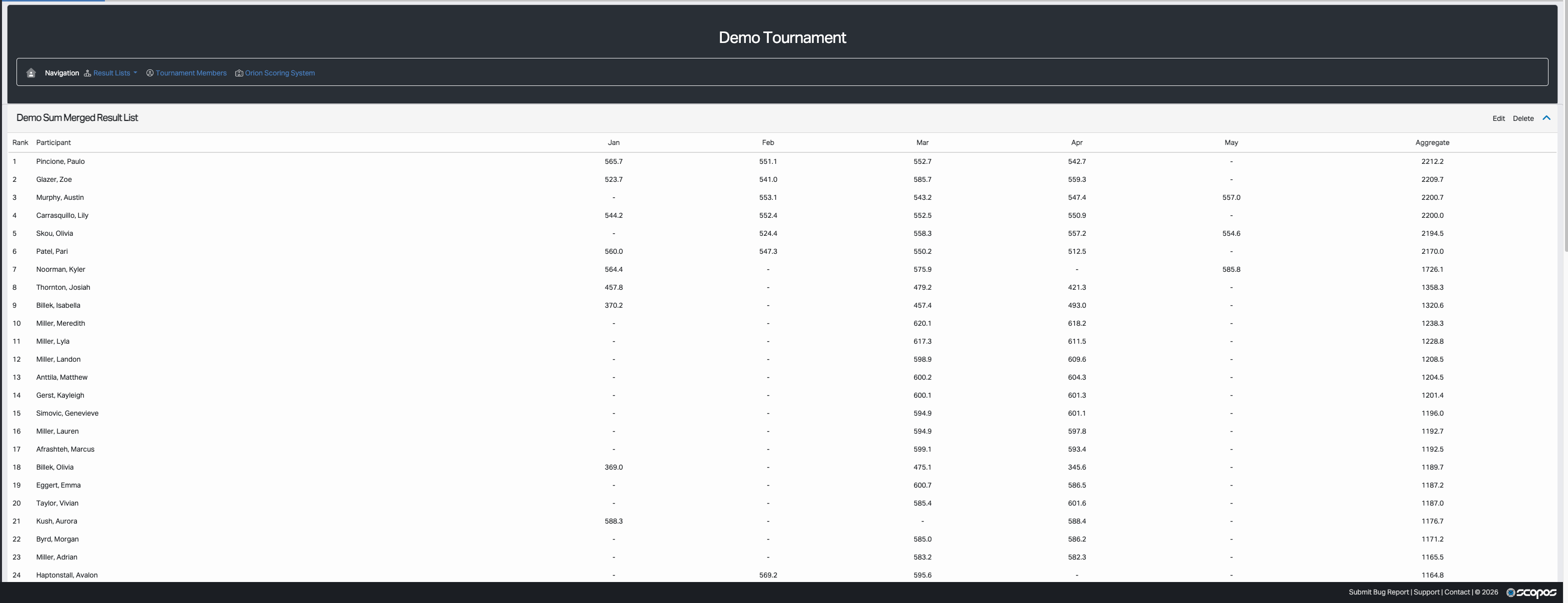
Rezults prevents exact duplicate result list members from being added to the same merged result list.
Editing or Deleting an Existing Merged Result List
Each merged result list card on the tournament page includes an Edit button. This opens the same two-step dialog so you can change the configuration, add members, or remove members.
Each card also includes a Delete button for users who have permission to remove the merged result list completely.