Updating Club Contact Options
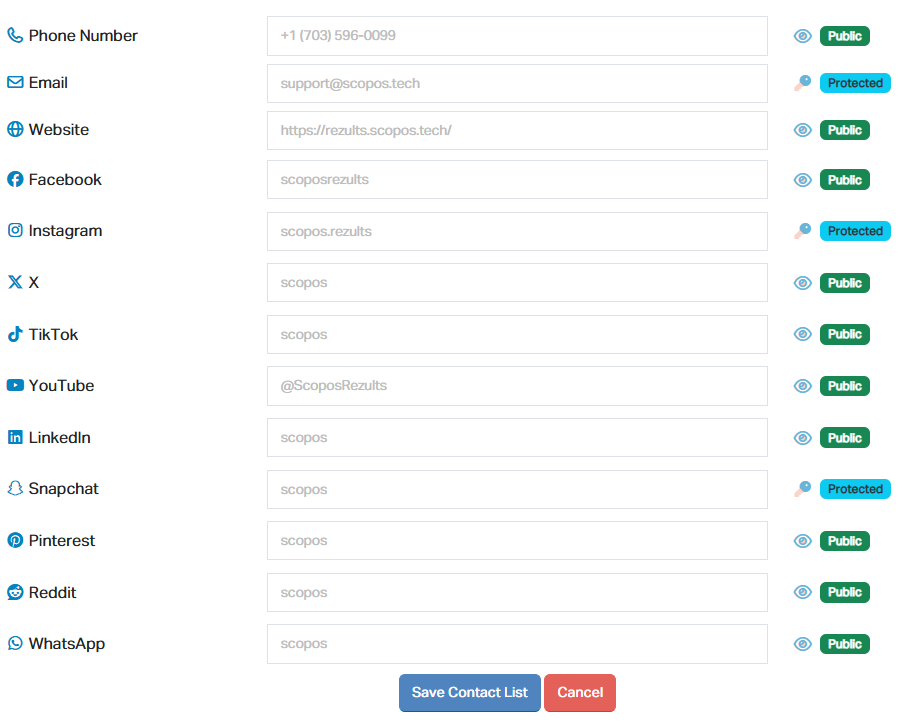
To update your Club's other contact information, such as the contact phone number, email address, social media page, etc. follow this guide:
1.Navigate to https://rezults.scopos.tech and log into the Scopos account of your Club Admin, or Manager.
2.On the left, click My Clubs to expand the clubs you have access to, and click on the Club you wish to edit the address information for.
a.If you are on a mobile device, instead click the menu (≡) button at the top right of the page to reveal the My Clubs section.
3.Locate and click on the Contact Options tab above your club information
4.Scroll down past the address information to find the Contact Options