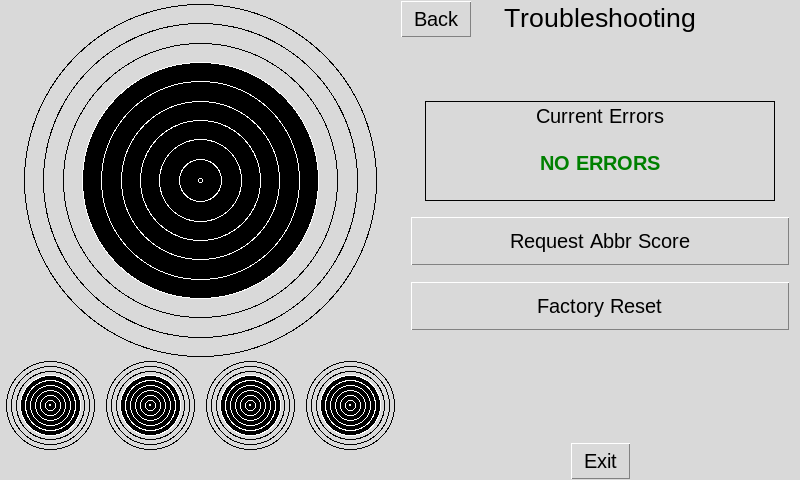
To verify everything is working correctly you can check the Status & Troubleshoot menus on your monitor to see if there are any errors.
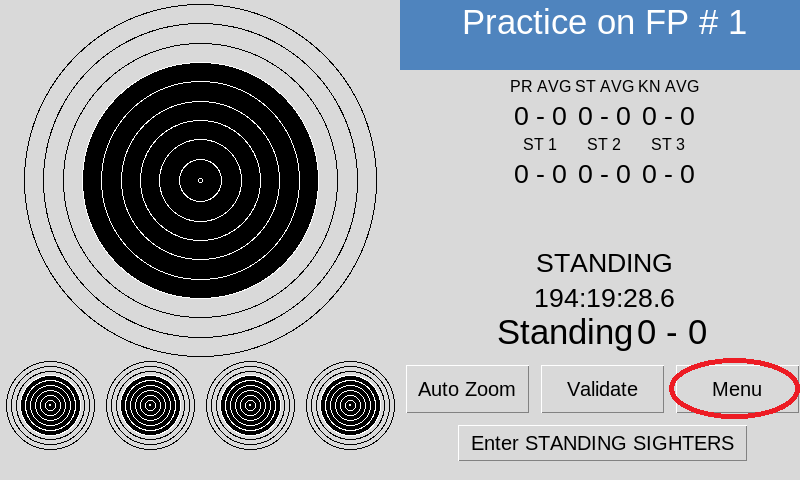
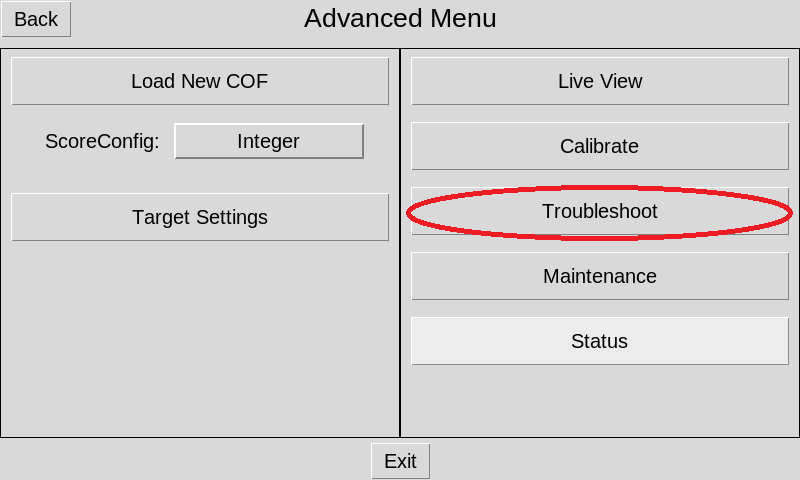
From the main screen select on the Menu button. Select the Advanced button
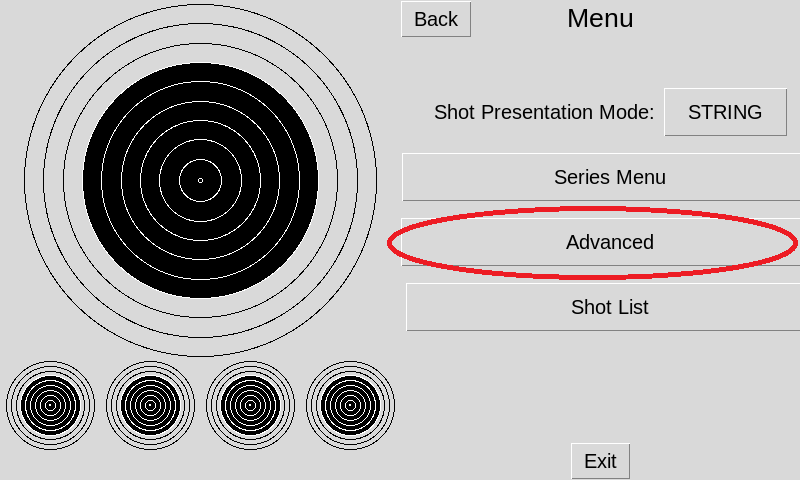
Select the Status button
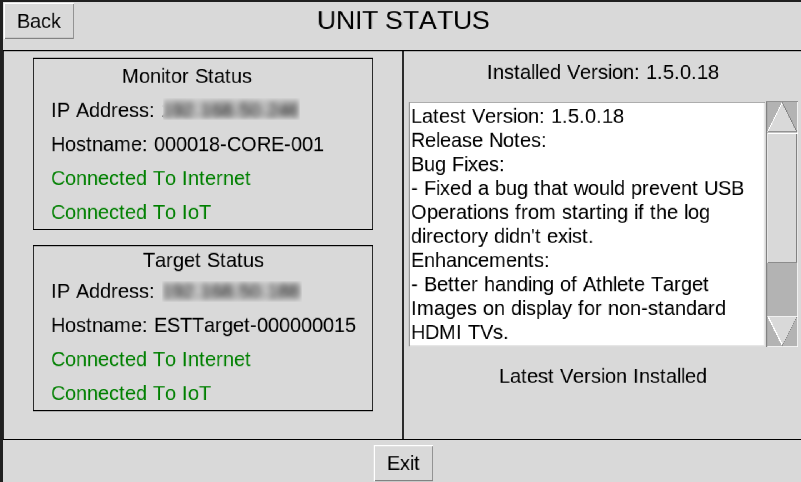
On the left side under Monitor Status and Target Status if it has an
error you will want to check your internet connection or IOT connection.
To check the troubleshooting follow the first two steps above then select Troubleshoot
See if there are any errors in the Current Errors box. If any errors send a support email with the error it shows