Range Reporter creates a written summary for the Result List currently selected on a match's Rezults page. Authorized match staff may add context to help Range Reporter include facts or storylines that are not apparent from the scores alone.
Requirements
Before generating a Range Report:
•Log in to Rezults with your Scopos Account.
•Open the desired match.
•Confirm that you have permission to create a Range Report for the match.
•Select the Result List for which you want to create the report.
Generate a Range Report
1.From Rezults, find and open the Match page.
2.Select the desired Primary Result List.
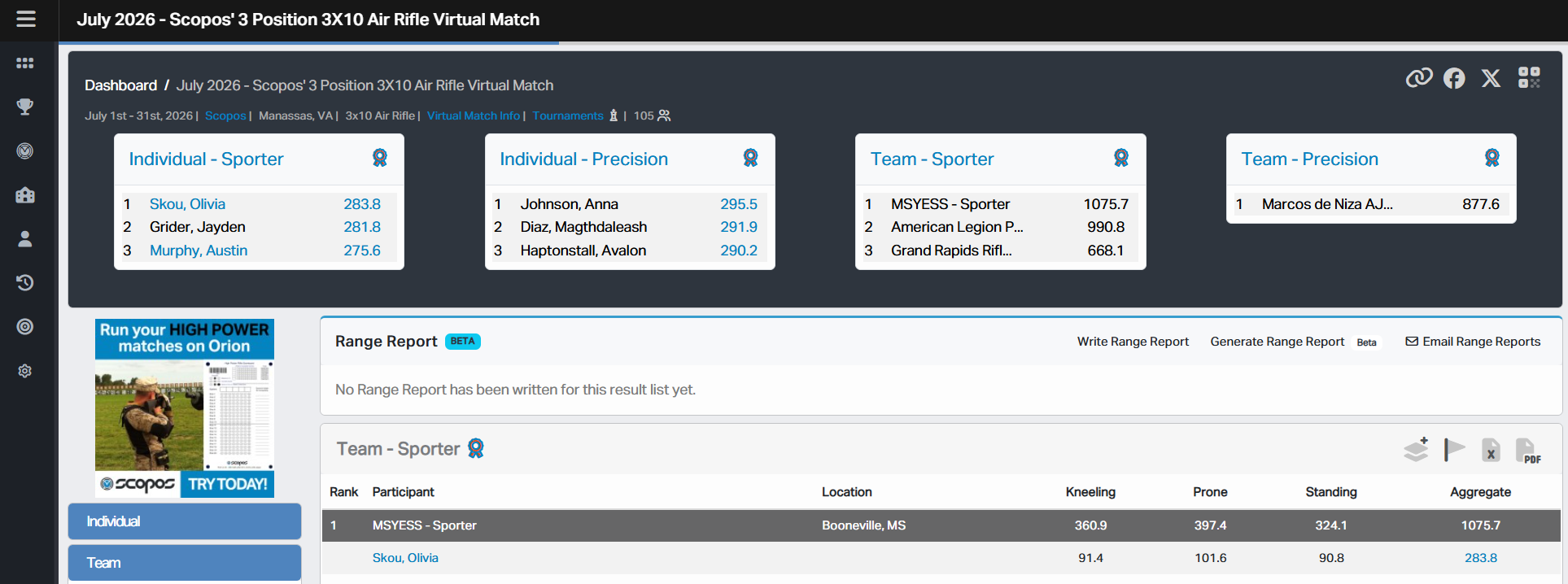
3.On the Range Report card, click Generate Range Report.
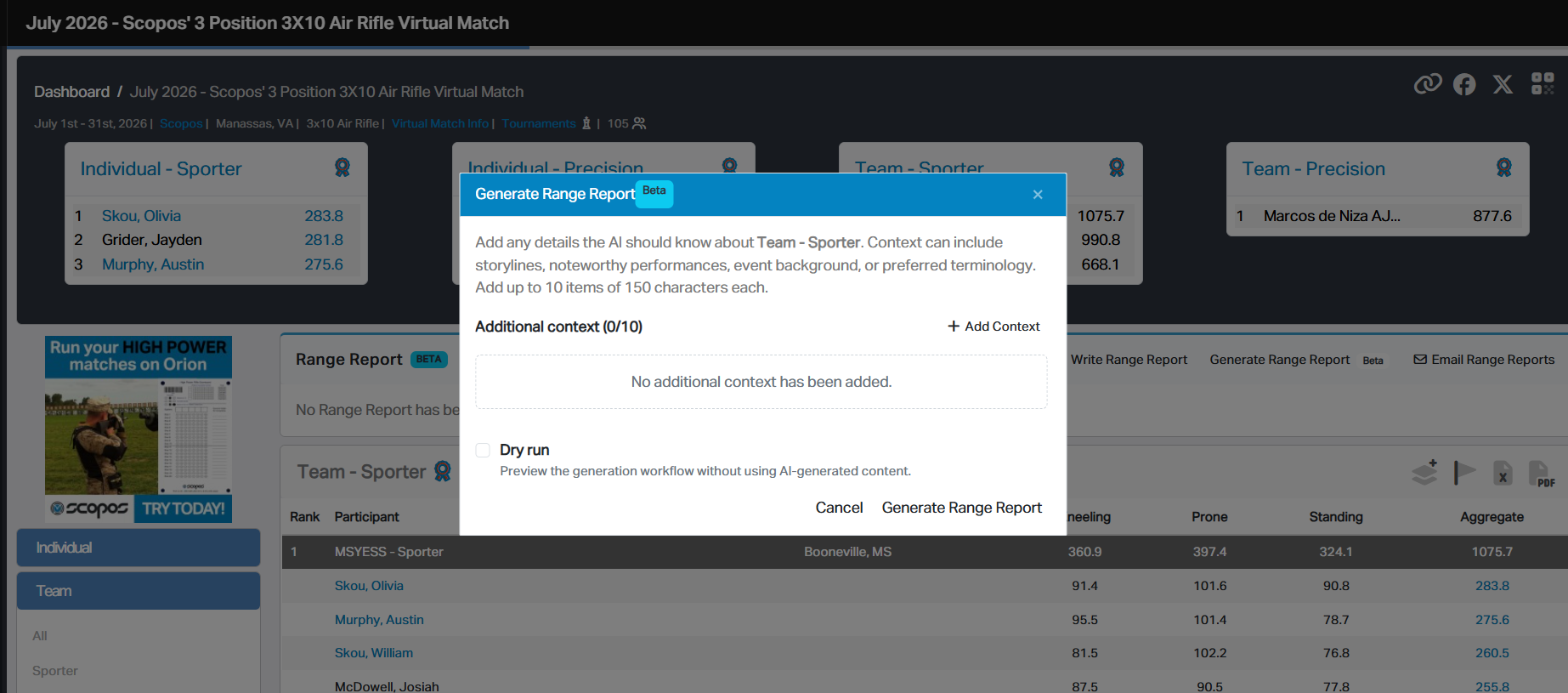
4.If desired, click Add Context and enter a fact or detail for the report.
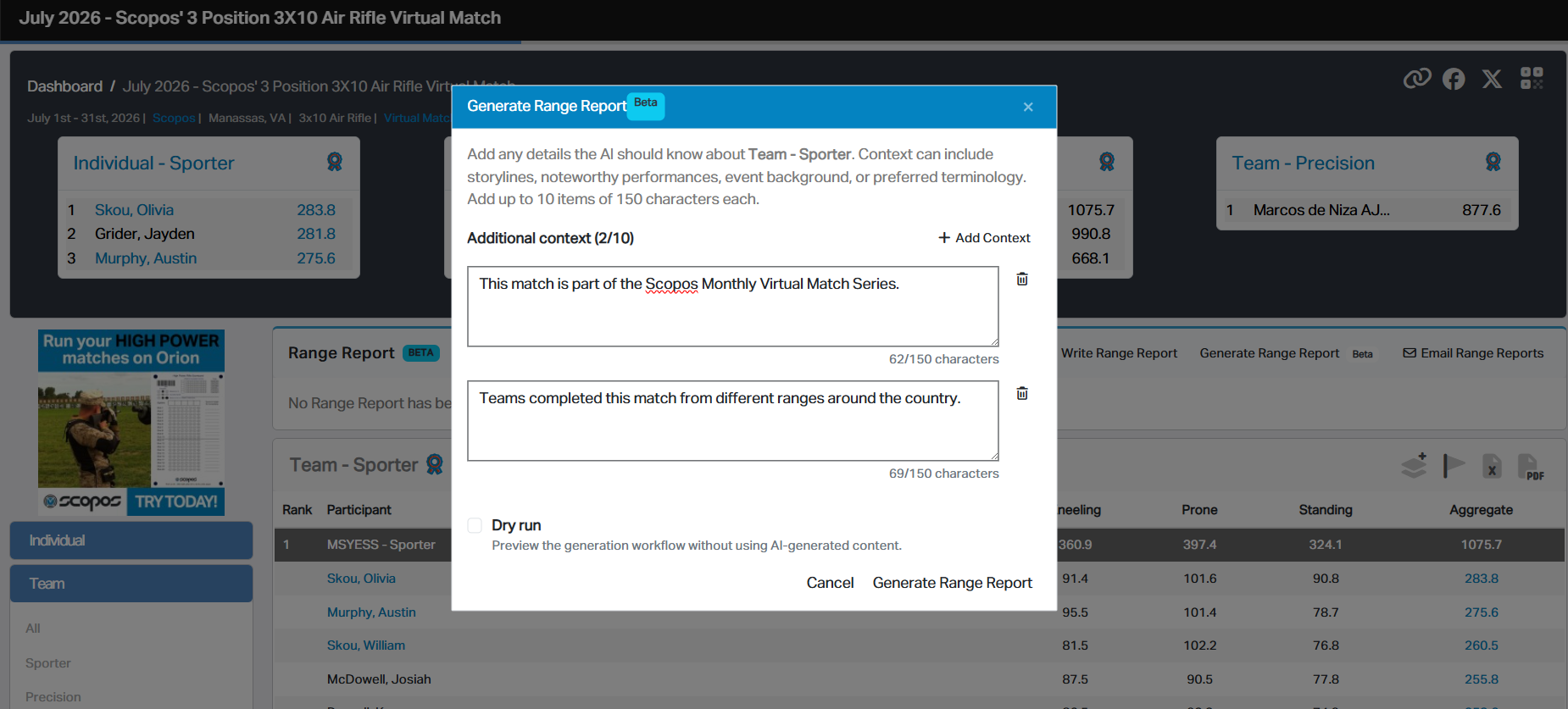
5.Add additional context items as needed. Use the trash can button to remove an item.
6.Click Generate Range Report.
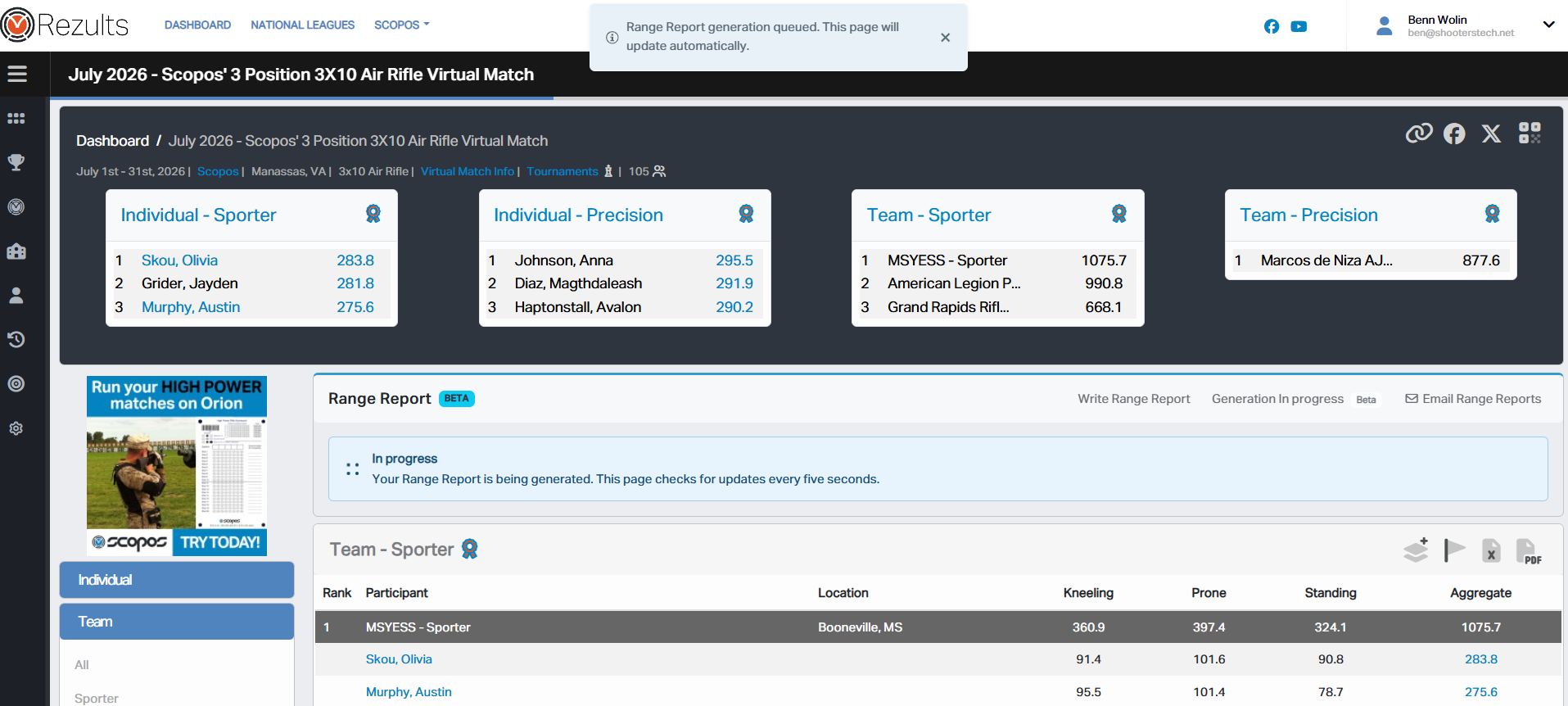
7.Wait for generation to complete. Rezults checks for an updated report every five seconds while the page remains open.
8.Review the completed Range Report before publishing it.
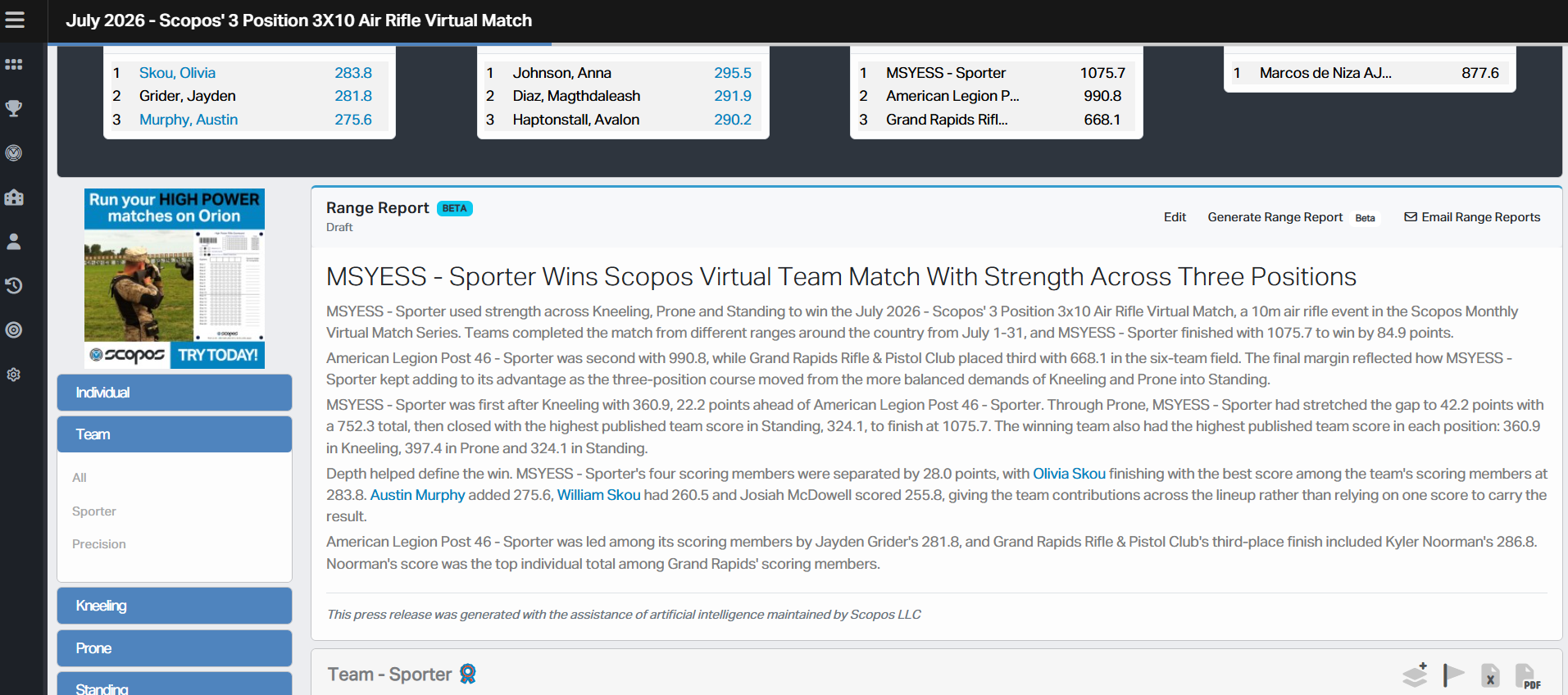
Only one generation request may be active for a Result List at a time. If a request is already active, Rezults resumes monitoring that request.
Note the AI disclaimer is automatically displayed at the end of the report.
Adding Useful Context
Additional context is optional. Range Reporter already has access to the selected Result List, so use context for relevant details the results do not fully explain.
Useful context may include:
•A shoot-off or other deciding moment.
•A noteworthy personal or team achievement.
•Background about the event or its history.
•Conditions that affected the competition.
•The preferred name of an event, award, team, or organization.
•Preferred sport-specific terminology.
For example:
•"The top two athletes advanced to a five-shot shoot-off."
•"This was the school's first state championship."
•"Use the term marksman instead of shooter."
It is a best practice to enter one fact or idea in each context item. Keep each item factual and concise.
Do not include private or sensitive information. Information supplied as context may be used in the generated report.
Generation Status
After a request is submitted, the Range Report card shows its progress:
•Queued means the request is waiting to begin.
•In progress means the report is being generated.
•Completed means the new report is ready.
•Failed means Rezults could not generate the report.
You may leave the Match page while a report is being generated. Return to the same Result List or refresh the page to resume monitoring its status.
Generating the Report Again
Use Generate Range Report again when you want a new version. Previously supplied context may be available for review in the generation window.
IMPORTANT: When a new generation completes, it replaces the current report text for that Result List. Save a copy of any text you want to keep before generating the report again.
See Also